Events
https://owlfaceid.nanqing.cloud/esd/events
Overview
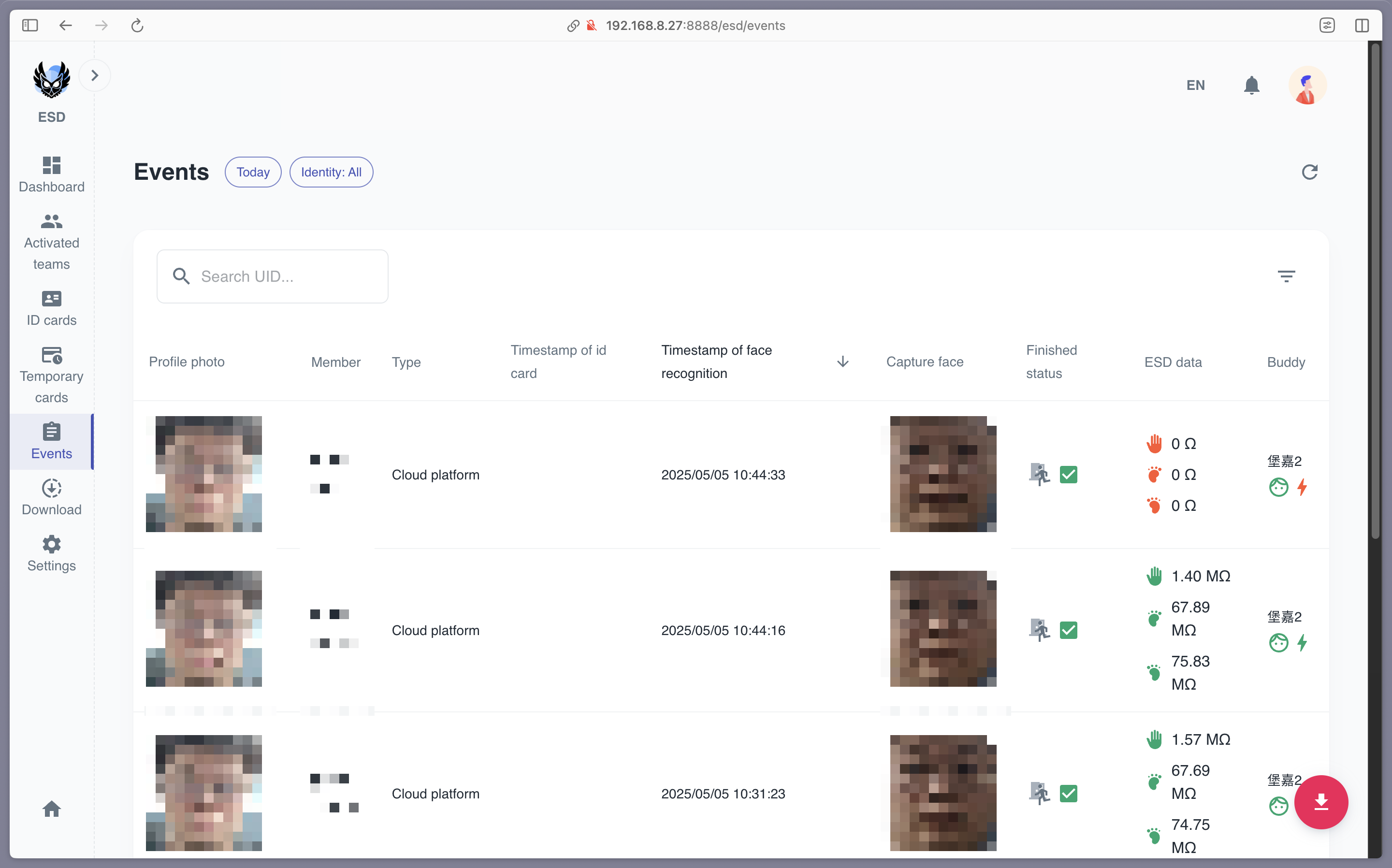
The Events page in the ESD module allows administrators to view detailed records of ESD-related events. These records include information about ESD test results, member details, and buddy assistance. The page is designed to help organizations monitor ESD compliance effectively.
Event Details
The Events page displays the following information for each record:
- Profile Photo: The member's profile photo.
- Member: The member's name and UID.
- Member Type: The type of member (e.g., employee, contractor).
- Timestamp of ID Card: The time the member swiped their ID card (if applicable).
- Timestamp of Face Recognition: The time the member was recognized by the face recognition system (if applicable).
- Capture Face: The face image captured by the face recognition system.
- Finished Status: The status of the ESD test (e.g., Passed, Failed).
- ESD Data: The ESD test results, including hand and foot voltage levels.
- Buddy: The buddy who assisted the member during the ESD test.
Search and Filter
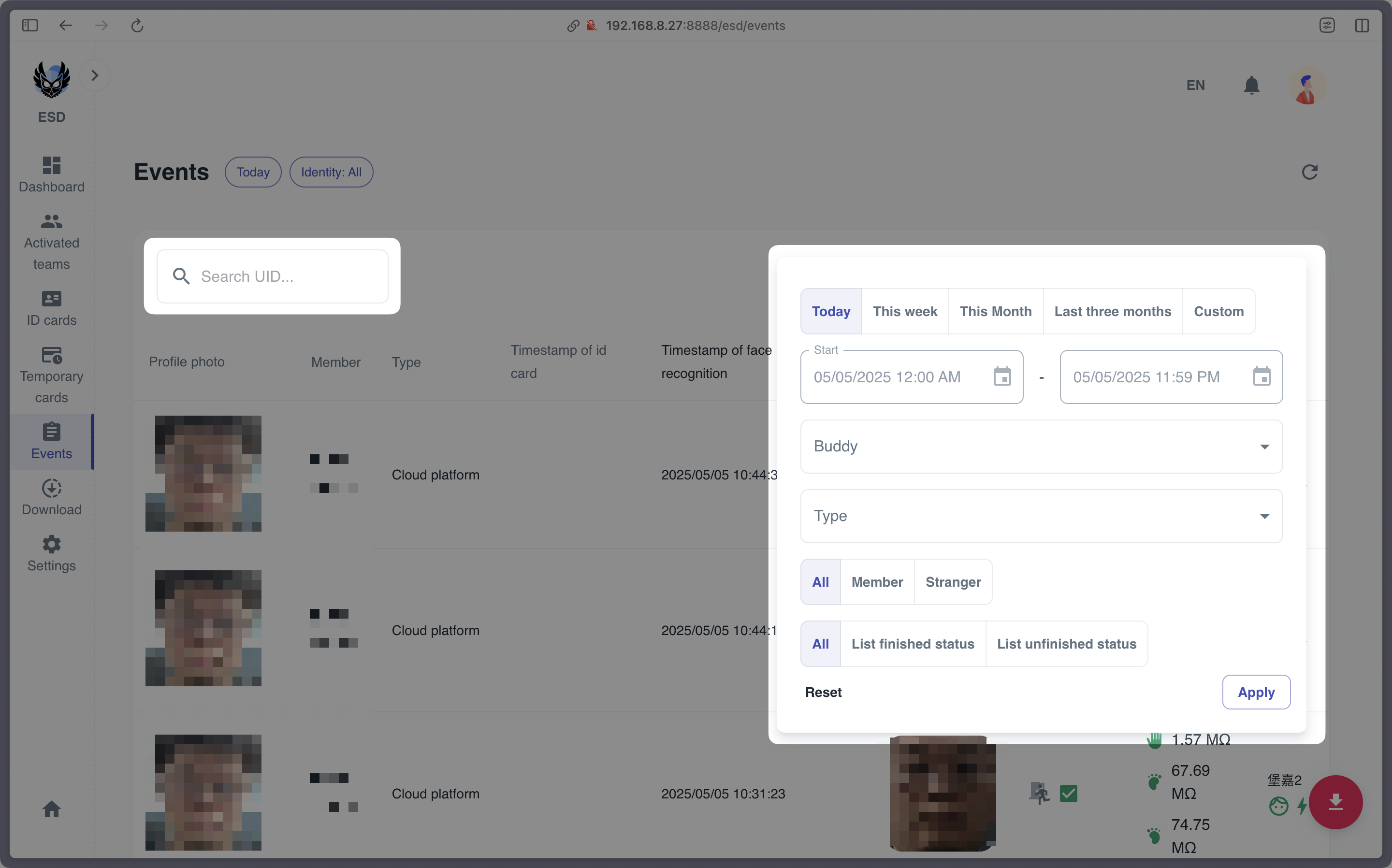
- Search: Enter the member's UID in the search bar to find the corresponding event record.
- Filter: Filter the event records by Time Range, Buddy, Member Type, Identity, and Finished Status.
Export
- Click the Export button to export the event records to a CSV file. Users can choose to export summary or detailed records.
Notes
- The Events page is specifically designed for tracking ESD compliance.
- Only administrators have access to this page.
- The ESD data includes detailed voltage levels for hands and feet, which are critical for ensuring compliance with ESD safety standards.