ID Cards
https://owlfaceid.nanqing.cloud/esd/id-cards
Overview
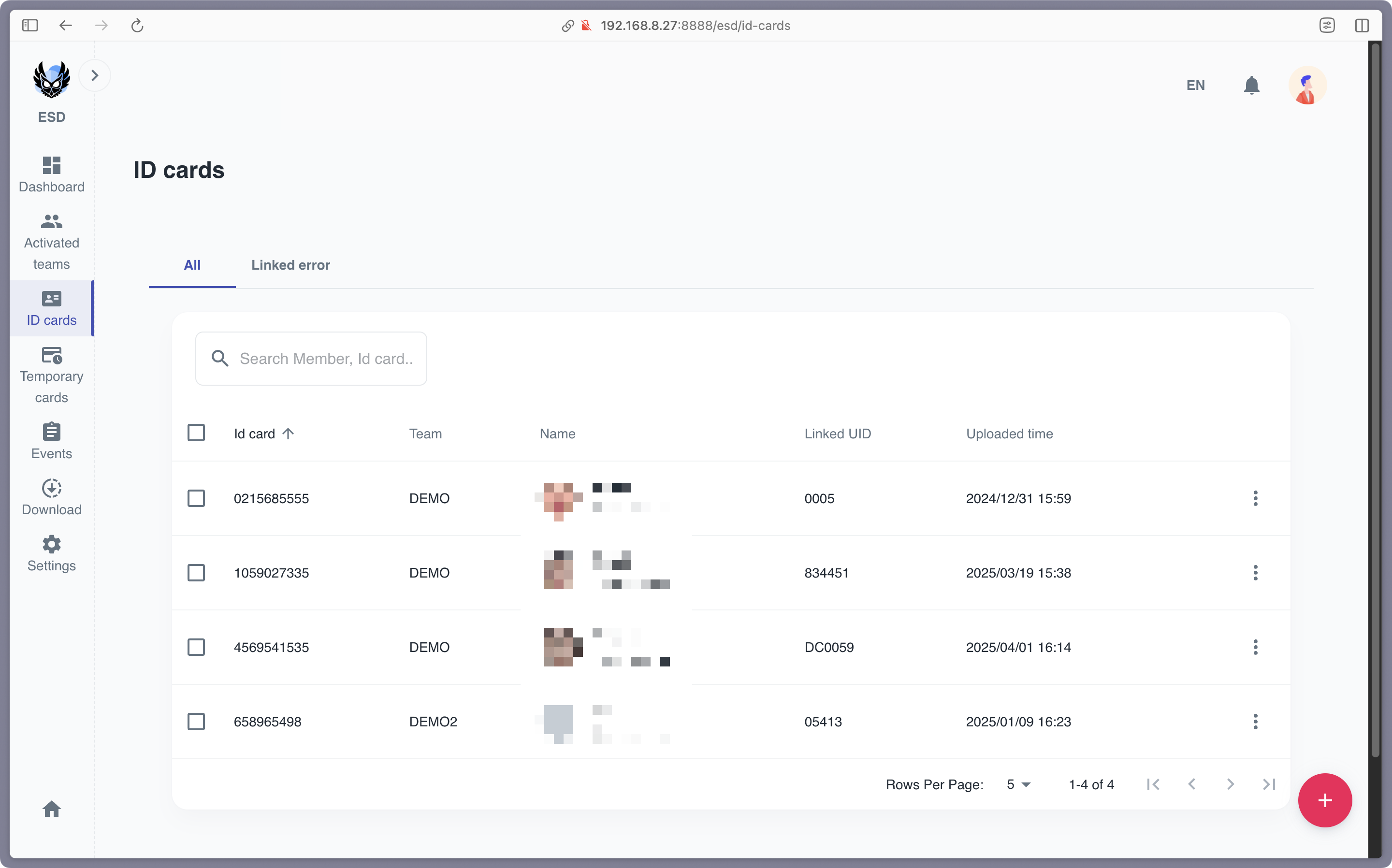
The ID Cards page enables administrators to manage ID cards that can be used in the ESD module when the work mode is Face recognition + ID card + ESD or ID card + ESD.
Steps to Create an ID Card
-
Hover over the red “+” button in the bottom-right corner and select Create an ID Card.
-
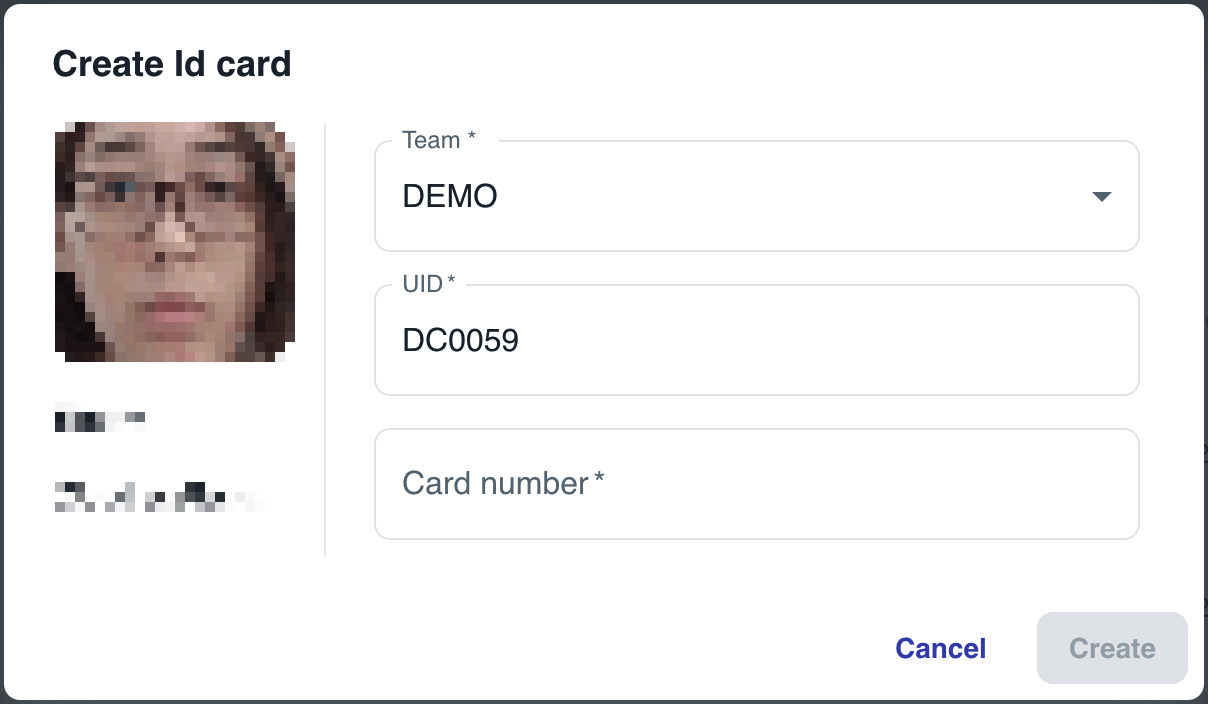
Provide the details of the member, and the system will automatically find the member with the UID.
-
Save the ID card, and it will be added to the list.
Batch Import ID Cards
-
Hover over the red “+” button in the bottom-right corner and select Batch Upload.
-
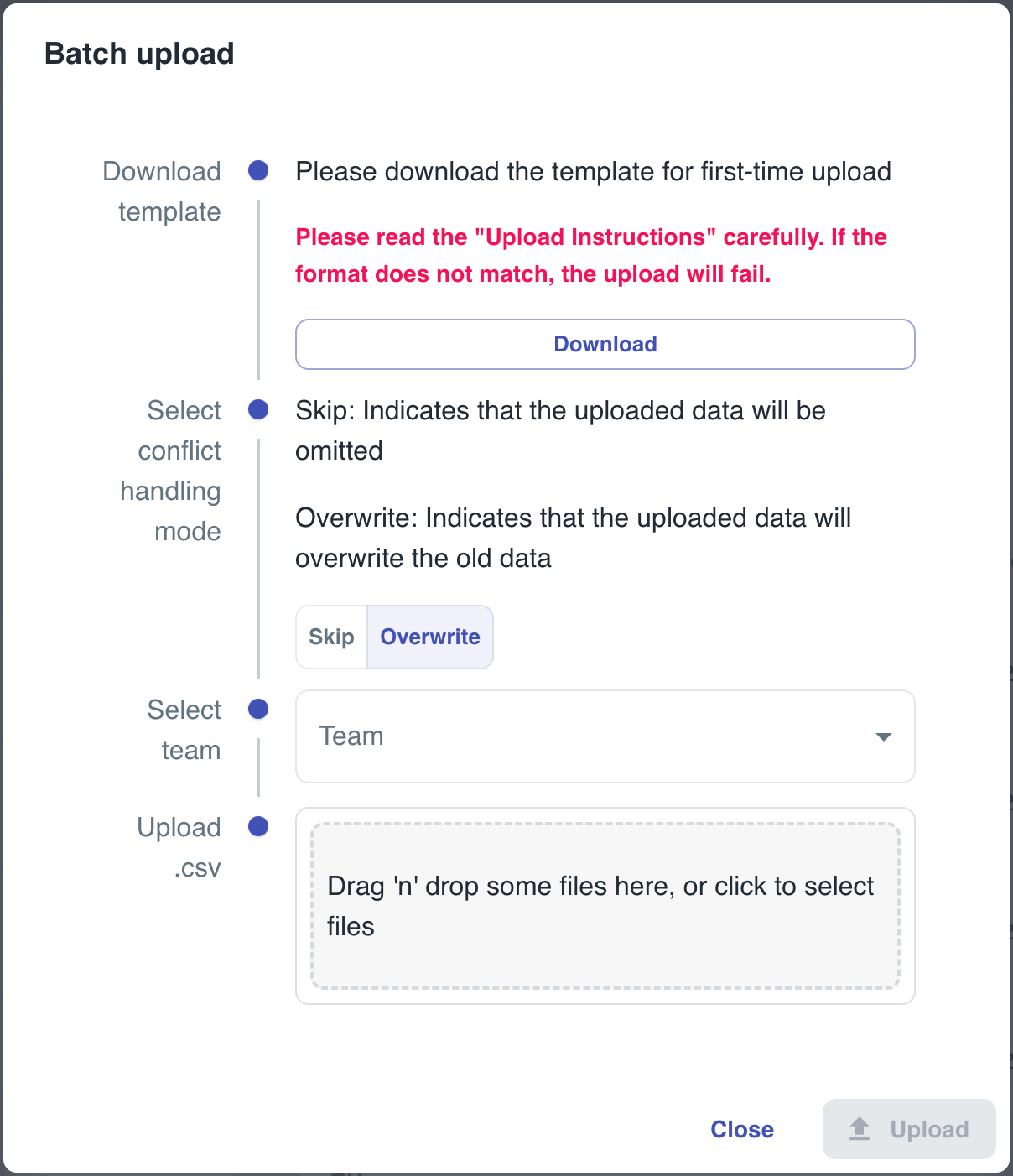
Follow the instructions provided in the template to upload a CSV file containing the ID card details.
-
After uploading, the system will generate a report showing the success and failure results of the upload. The ID cards will then be added to the list.
Managing an ID Card
- To access the options for managing a specific ID Card, click the three-dot menu next to the ID Card.
- Edit: Modify the ID Card details.
- Delete: Remove the ID Card (please note that this action is irreversible).