Activated Teams
https://owlfaceid.nanqing.cloud/attendance/activated-teams
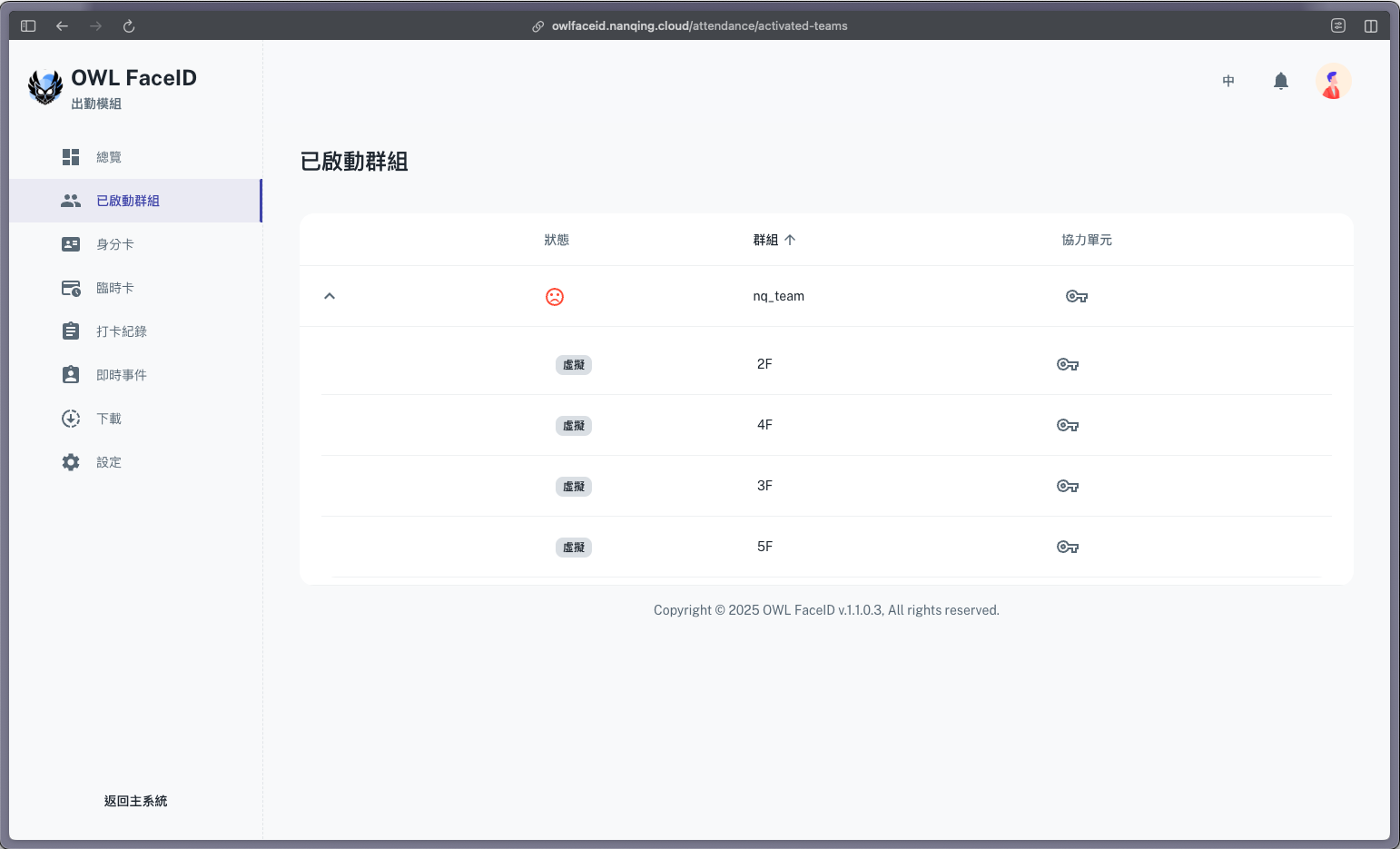
Overview
The Activated Teams page lists all teams currently enrolled in attendance tracking. Users can:
- Check the status of each team and their buddies.
- Click on the buddy icon to view their details.
Note: Activated Teams must be selected in the Settings page to begin tracking attendance.
Buddies Management
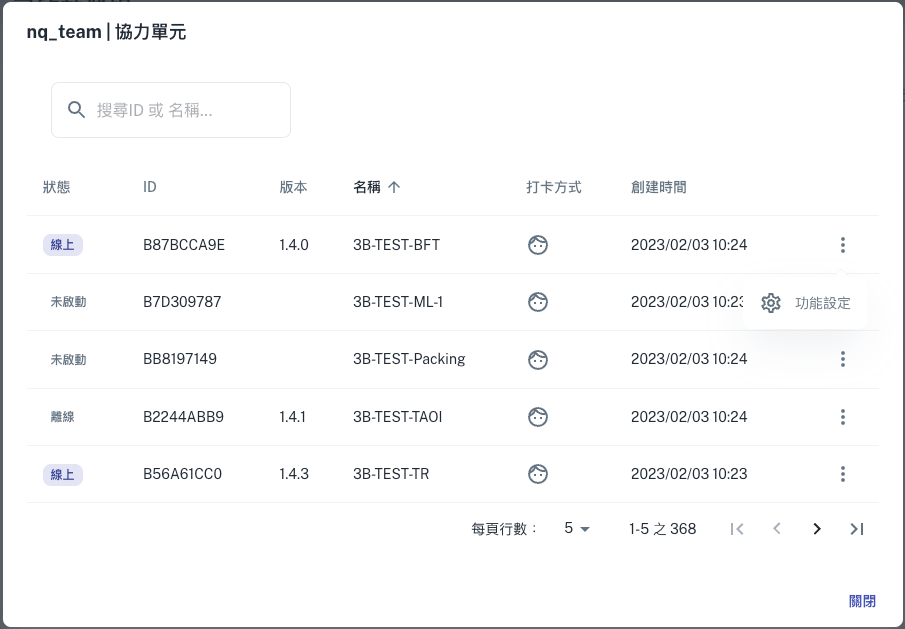
This dialog provides an overview of buddies for connected devices.
Key Information Displayed:
-
Status: Indicates whether a license is Online or Offline.
-
ID: Unique identifier for each Buddy License.
-
Version: Software version associated with the license.
-
Name: Assigned name for easy identification.
-
Clock in Method: Indicates whether a buddy is using Face recognition or Face recognition + ID card to clock-in or clock-out. Users can modify the method by clicking on the three-dot menu and selecting Function settings.

-
Create Time: Timestamp indicating when the license was generated.