Time Card
https://owlfaceid.nanqing.cloud/attendance/time-cards
Overview
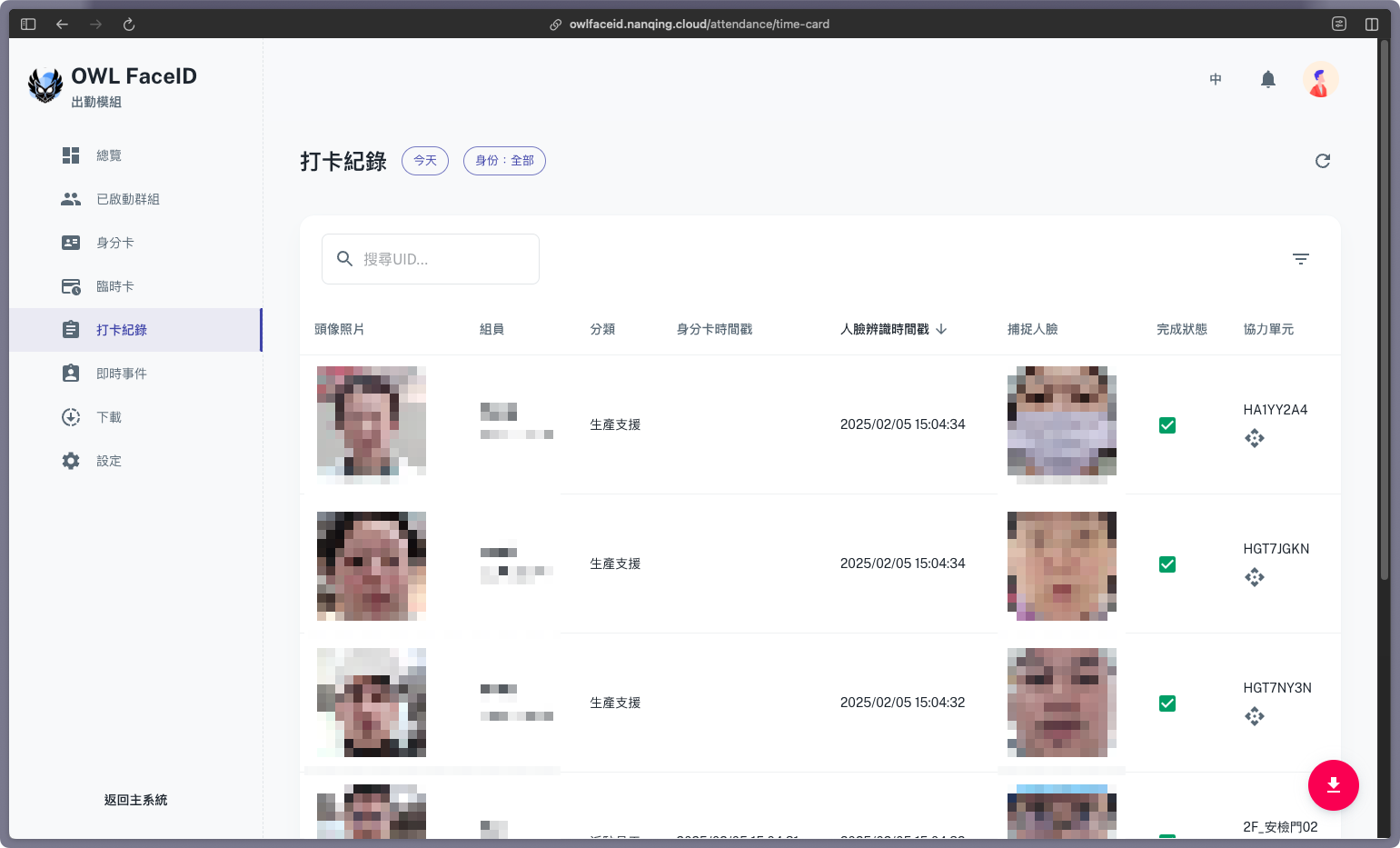
The Time Cards page let users view the time card records of all employees. The page displays the following information:
- Profile Photo: The employee's profile photo.
- Member: The employee's member name and UID.
- Timestamp of ID Card: The time the employee swiped their ID card.
- Timestamp of Face Recognition: The time the employee was recognized by the face recognition system.
- Capture face: The face image captured by the face recognition system.
- Finished status: The status of the time card record.
- Buddy: The buddy who helped the employee check in or out.
Search and Filter
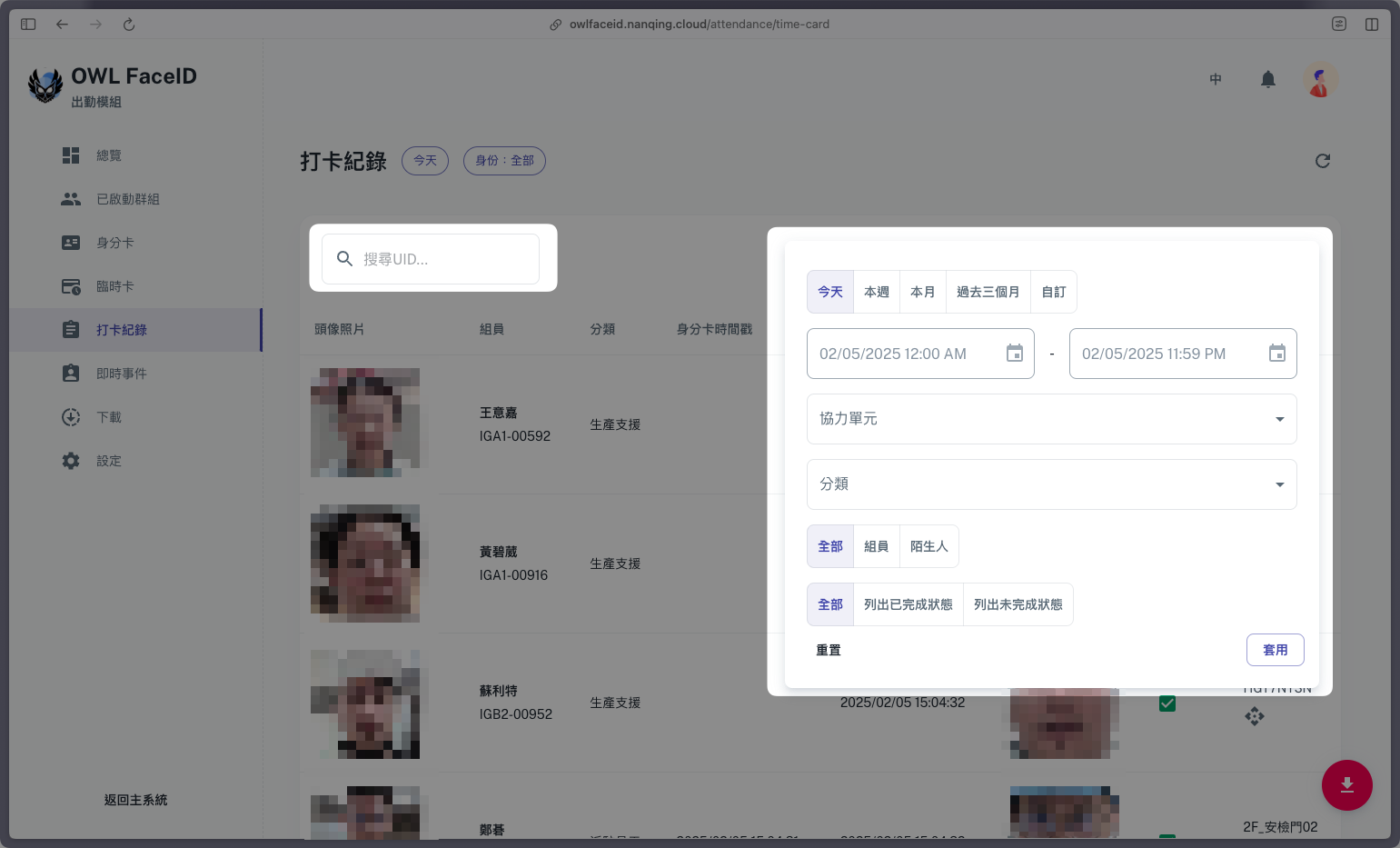
- Search: Enter the employee's UID in the search bar to find the corresponding time card record.
- Filter: Filter the time card records by Time Range, Buddy, Type, Identity, and Finished Status.
Export
- Click the Export button to export the time card records to a CSV file. Users can choose to export summary or detailed records.