Buddy Licenses
https://owlfaceid.nanqing.cloud/settings/buddy-licenses
Overview
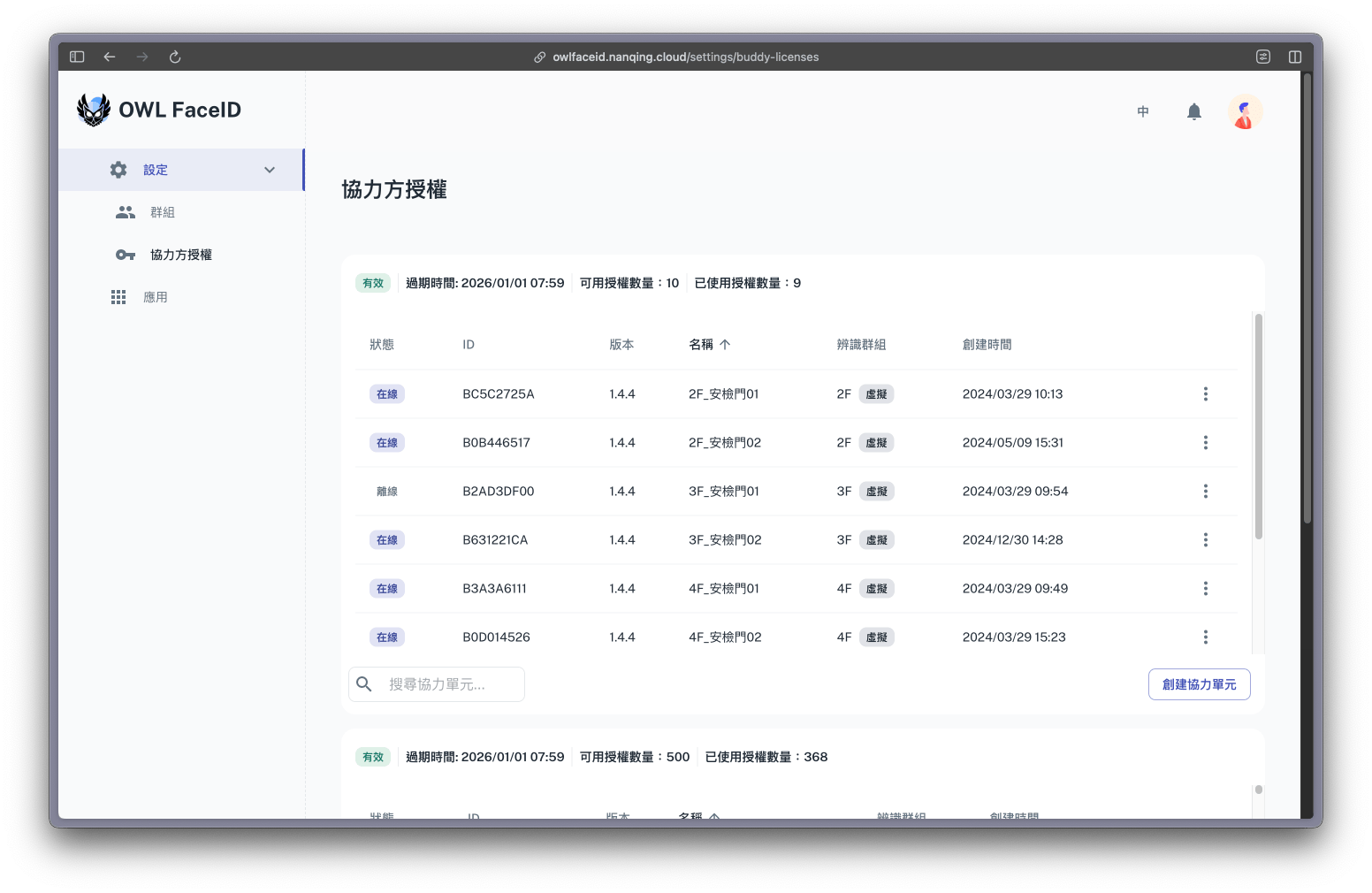
The Buddy Licenses page provides an overview of license management for connected devices.
Key Information Displayed:
- Status: Indicates whether a license is Online or Offline.
- ID: Unique identifier for each Buddy License.
- Version: Software version associated with the license.
- Name: Assigned name for easy identification.
- Identify Team: Displays which team or virtual team the license is associated with.
- Create Time: Timestamp of when the license was generated.
Users can search, filter, and manage licenses from this interface.
Creating a Buddy
To create a Buddy under Buddy License:
- Navigate to the Buddy Licenses page.
- Click the Create Buddy button.
- Enter the Name for the Buddy.
- Select the Team or Virtual Team to bind for recognition.
- Confirm and save the Buddy setup.