Teams
https://owlfaceid.nanqing.cloud/settings/teams
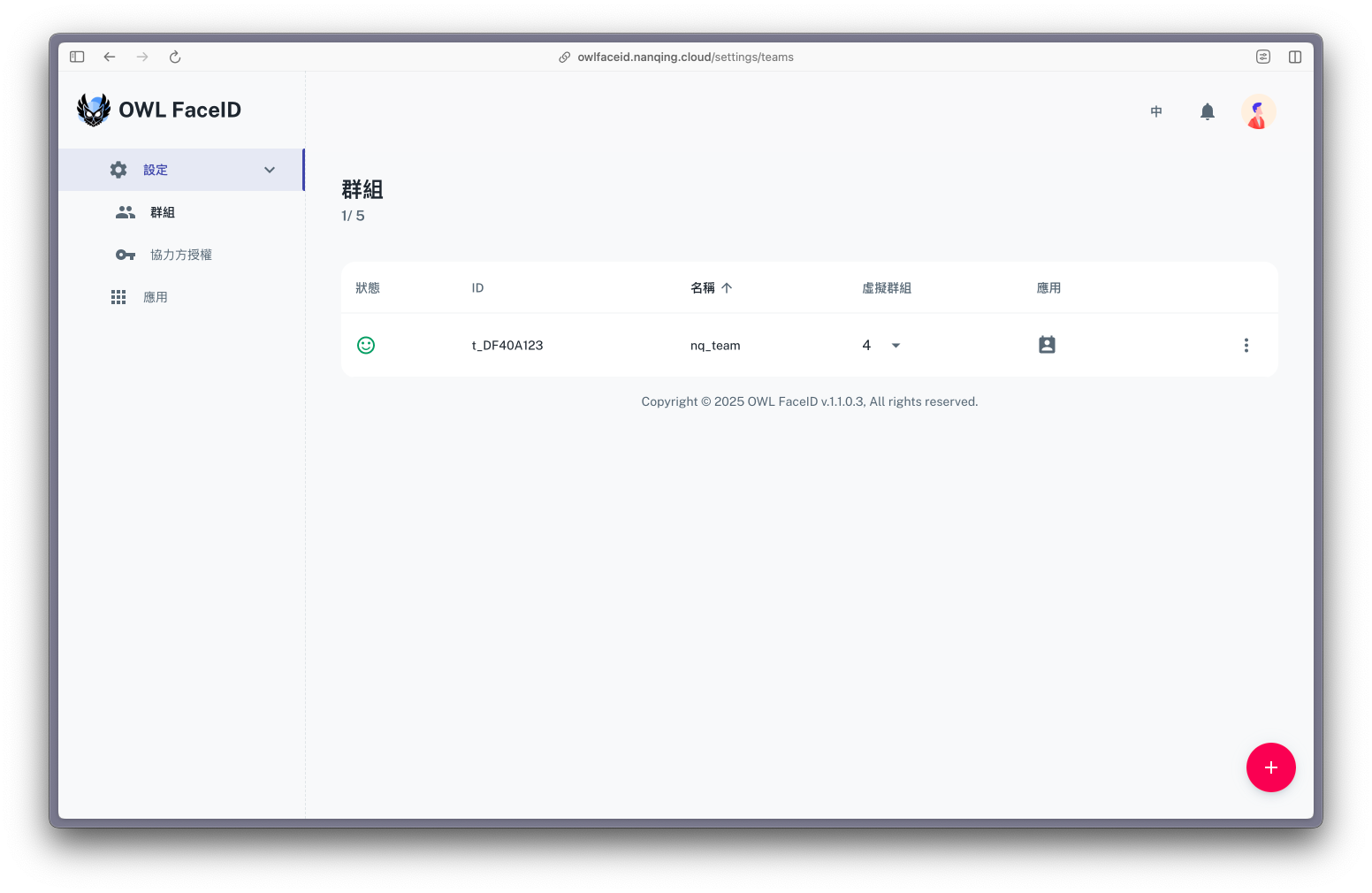
Overview
The Teams page allows administrators to create and manage different groups within the OWL FaceID system. Each team has a unique ID, a name, and can optionally include Virtual Teams.
Note: Virtual Teams are optional and allow administrators to categorize members within the main team for better organization. However, members are always associated with the main team.
Status Icons
Each team has a Status indicator that represents the state of its face recognition model:
- 😊 (Smile Icon) – The training model of the team is in good condition and does not require re-training.
- ☹️ (Sad Icon) – The model needs re-training to improve accuracy.
Steps to Create a Team
- Navigate to Settings > Teams.
- Click the red "+" button in the bottom-right corner.
- Enter the Team Name.
- Save the team; it will appear in the list with a unique ID.
Managing a Team
- Click the three-dot menu next to a team to access the following options:
- Virtual teams: Manage the virtual teams associated with the main team.
- Edit: Modify the team name.
- Delete: Remove a team (this action is irreversible).