User Management
https://owlfaceid.nanqing.cloud/user-management
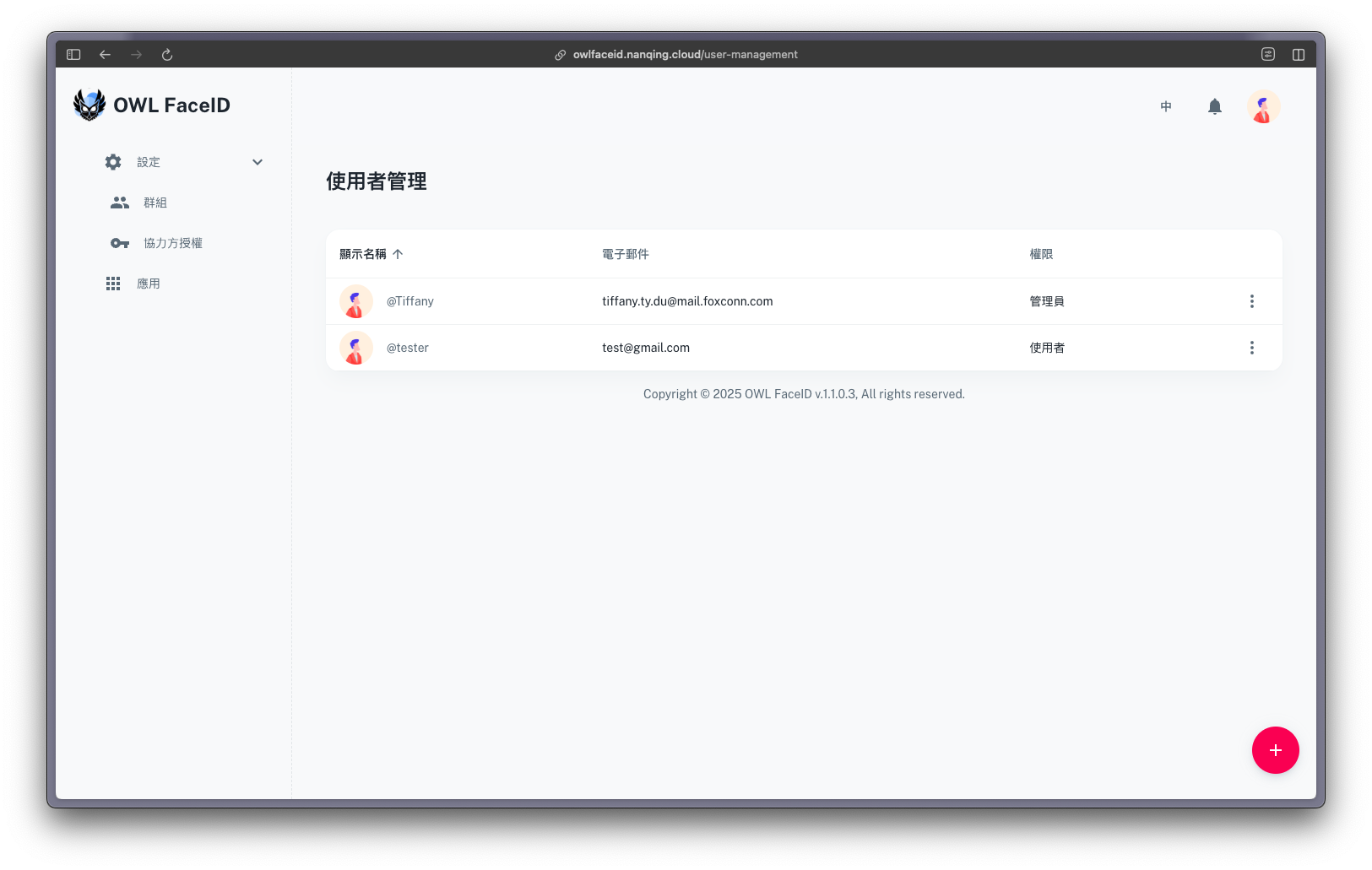
Overview
The User Management page allows administrators to manage user accounts and roles.
This page only open to users with the Admin role.
Creating a User
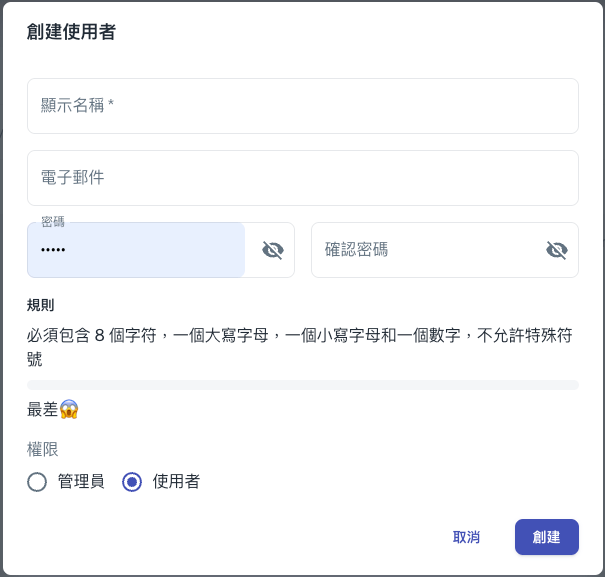
To create a User:
- Click the + button located at the bottom-right corner of the screen.
- Enter the user's details, ensuring the password meets the specified requirements.
- Confirm and save the User setup.
Managing a User
- Modify Permissions: Click the three-dot menu next to a user to adjust permission settings.
- Delete Users: Remove users from the system (irreversible action).